Intensity Scale Calibration
If required, you can calibrate the intensity scale of images to a set of calibration standards. By setting-up a standard calibration, the intensity values of different materials or tissue will be consistent, regardless of the sample acquired.
You should note that an intensity calibration does not change the data distribution; it only computes a slope/offset transformation such that the selected standard intensity values will be obtained from the raw intensity values. You can get the same effect by manually modifying the slope/offset values in the Image Properties panel (see Modifying Data Offsets and Slopes).
Right-click the data you need to calibrate and then choose Calibrate Intensity Scale in the pop-up menu to open the Intensity Calibration dialog, shown below.
Intensity Calibration dialog
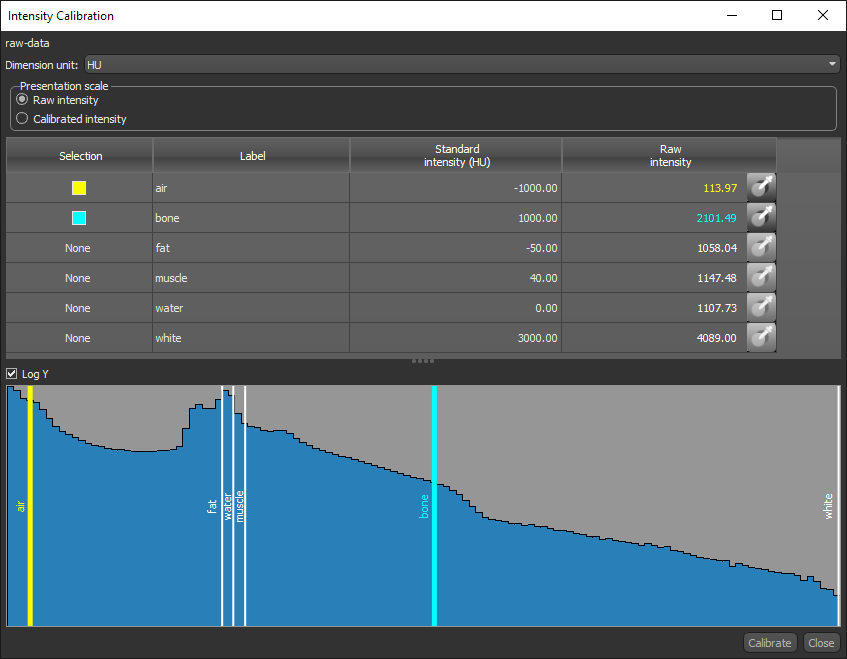
The calibration procedure is done in the following steps:
-
Choose a preset calibration standard or create a set of calibration standards in the Dimension Unit Manager (see Creating Calibration Standards).
-
Choose the two labels that will provide the best values for fitting. These are usually the labels that correspond to a low intensity phase or tissue and to a high intensity phase or tissue.
-
Measure the raw intensity values on the data you need to calibrate that correspond to the selected labels. You can use the integrated Probe tools to extract the 'mode' of the raw intensity values of each selection, which is extracted from the histogram and the size of the spherical brush. Mode is the intensity value that corresponds to the center of the bin having the maximum element count. The histogram is built with 1024 bins spread over the range of data of the probed dataset. You can also adjust each selection with the tick marks on the histogram.
-
Calibrate the dataset.
-
Right-click the data you need to calibrate and then choose Calibrate Intensity Scale in the pop-up menu.
The Intensity Calibration dialog appears.
-
Select the required calibration standard in the Dimension unit drop-down menu.
Note If required, you can create a calibration standard in the Dimension Unit Manager (see Creating Calibration Standards).
-
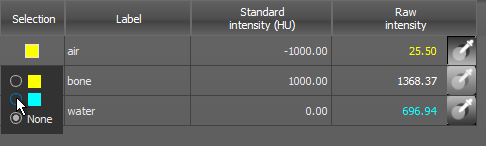
Choose the two labels that will provide the best values for fitting.
Note You can change the label selection by double-clicking inside the Selection column and then selecting another label.
-
Do the following for each selected label:
-
Select the Probe tool, as shown below, and then extract the 'mode' of the raw intensity values of each selection by clicking on your image.
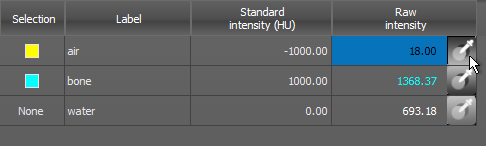
Note You can increase or decrease the size of the spherical brush with the mouse scroll wheel or your configured increase/decrease probe size action (see Configured Actions for Intensity Calibrations).
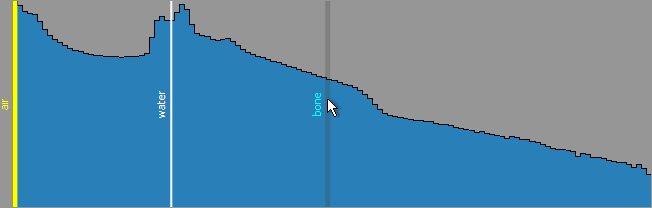
Note You can also move the markers on the histogram to update the raw intensity value of the selected label, as shown below.
-
Measure the mean raw intensity values that correspond to the selected label on your image data with the Probe tools available on the Probe panel (see Using the Probe Tools). You can then enter the measured value as the raw intensity.
-
-
Click the Calibrate button to calibrate the image.
Note If the calibration is not satisfactory, you can change your selections and then evaluate the re-calibrated intensity.
Note After your image is calibrated, you can toggle between the raw intensity values and the calibrated intensity values by selecting the required scale in the Presentation scale box.
 Configured Actions for Intensity Calibrations
A number of configured actions are available for intensity calibrations. The default settings for these actions are listed in the following table.
| Action | Key | Mouse |
|---|---|---|
| Decrease probe size (in Intensity Calibration) | - | Mouse wheel down |
| Increase probe size (in Intensity Calibration) | - | Mouse wheel up |
| Probe pre-calibrated value (in Intensity Calibration) | - | Left mouse |
